The Phomemo M110 Label Maker review is for shoppers who want a compact way to create barcode, product, address, and everyday organization labels.
Its Bluetooth app, batch-printing tools, and included starter supplies make it appealing for small workflows, while the thermal format shapes what it can print.
Phomemo M110 Review Summary
The quick verdict
6,000+ ratings
Read Amazon ReviewsPhomemo M110 Label Maker
A portable thermal label maker for small businesses, home offices, and households that want custom labels from a phone or computer.
- Portable 2-inch Bluetooth thermal label maker designed for use with phones and computers.
- Print Master app includes multiple label templates and lets users create custom layouts.
- Excel batch printing supports workflows that require repeated labels.
- OCR can recognize text in images and convert it into editable text.

Pros
- Portable format and included carrying bag suit work across a home, office, classroom, or small retail space.
- Custom templates and Excel batch printing offer more flexibility than handwriting labels one at a time.
Consider before buying
- Monochrome thermal output is limited to black printing, so it is not a fit for color-coded print designs unless the chosen thermal media supplies the color.
- The description recommends Phomemo-branded label paper; buyers planning to use other brands should confirm compatibility before stocking up.
Read the full review summary
The M110 combines a portable 2-inch thermal printer with a Bluetooth connection and the Print Master app.
You can choose from templates or build your own, and Excel batch printing can help when the same task calls for multiple labels.
OCR can turn text in a photo into editable text, which may reduce retyping for some labeling jobs.
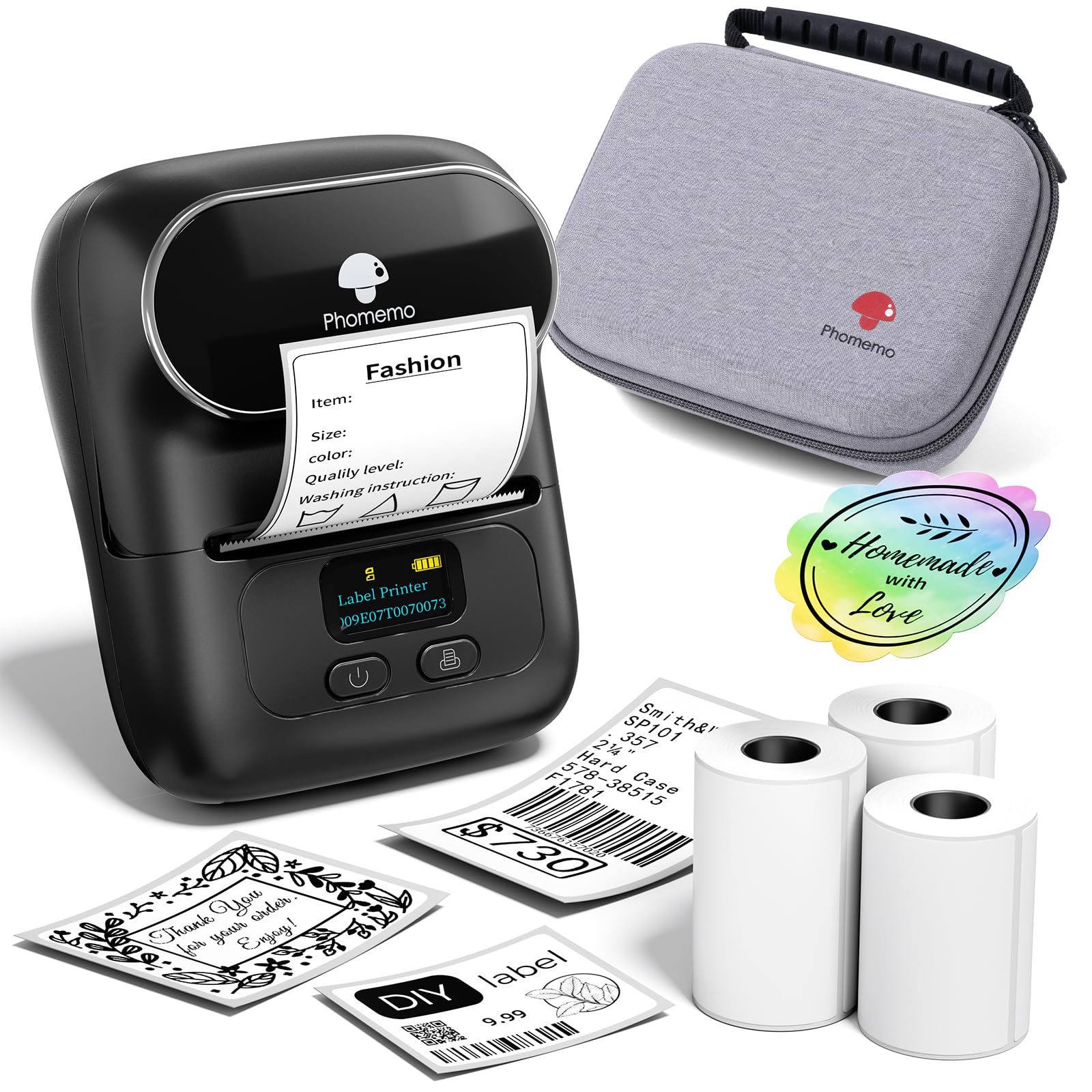
This bundle includes three rolls of white thermal labels, a black carrying bag, a USB-C cable, and a user manual. That makes it a practical starting point for small-business product labeling, office organization, school supplies, or home projects.
Its monochrome output and reliance on thermal label paper make it better suited to functional labels than to general-purpose color printing.
The buying factors
Phomemo M110 Scorecard
Editorial scores reflect listed features and buyer fit; they are not laboratory measurements or customer ratings.
Portable setup
The compact 2-inch printer comes with a carrying bag and connects over Bluetooth, making it convenient for moving between work areas.
Label design tools
The app offers templates and custom layouts, giving users a flexible starting point for common labeling tasks.
Batch workflow
Excel batch printing can streamline repeated labels when preparing multiple items or products.
Text capture
OCR converts text in images into editable text, a useful option when labels draw from photographed material.
Starter bundle
Three label rolls, a bag, and a USB-C cable are included, so the package has useful accessories for getting started.
Label flexibility
The printer is monochrome and the description recommends Phomemo thermal label paper for best results, so buyers should plan around compatible media and black-only output.
Key Features and Specifications of Phomemo M110
- Portable 2-inch Bluetooth thermal label maker designed for use with phones and computers.
- Print Master app includes multiple label templates and lets users create custom layouts.
- Excel batch printing supports workflows that require repeated labels.
- OCR can recognize text in images and convert it into editable text.
- Thermal printing produces monochrome output without the need to manage ink cartridges.
- Bundle includes three rolls of white thermal labels, a black carrying bag, USB-C cable, and user manual.
- The product description recommends Phomemo-branded thermal label paper for optimal printing results.
Pros and Cons of Phomemo M110
Pros
- Portable format and included carrying bag suit work across a home, office, classroom, or small retail space.
- Custom templates and Excel batch printing offer more flexibility than handwriting labels one at a time.
- OCR provides a convenient route from photographed text to editable label content.
- Three included label rolls give buyers starter media for early projects.
Consider before buying
- Monochrome thermal output is limited to black printing, so it is not a fit for color-coded print designs unless the chosen thermal media supplies the color.
- The description recommends Phomemo-branded label paper; buyers planning to use other brands should confirm compatibility before stocking up.
- Some app templates, icons, and fonts marked with a diamond are member-only, so the full selection may require a membership.
Who Should Buy Phomemo M110?
Good fit
Consider the M110 if you need an everyday label printer for product identification, barcodes, addresses, or organizing supplies.
Its app-based templates support quick designs, while custom layouts and Excel batch printing are useful when a small business or office repeats the same label format.
It may also suit a home user who wants a portable tool for occasional projects and values the included bag and three starter rolls.
Before buying, decide whether monochrome thermal labels meet your needs and check that the label stock you plan to use works with the printer.
Who should skip it
Skip this model if your regular workflow depends on color output or on a label format that cannot be handled by its 2-inch thermal design.
A dedicated shipping-label printer may be a better fit when your main task is larger parcel labels.
Look elsewhere if you want every design option in the app to be available without a membership. Check which templates and editing tools are included at no cost for the types of labels you plan to create.
How the Phomemo M110 Fits Everyday Labeling
App workflow for repeated tasks
The Print Master app provides templates as well as custom typesetting, and the Excel batch-printing function targets jobs where a label repeats across many items.
That combination can help with product tags, inventory identifiers, or classroom and office organization, especially when the label content is already arranged in a spreadsheet.
OCR as a shortcut
OCR can recognize text in a photo and make it editable before printing.
This is most useful when information needs to be transcribed from a printed note or image; it still leaves the user in control of checking the converted text and arranging it on the label.
Thermal output and label stock
Thermal printing avoids ink cartridges, but the M110 produces monochrome output and uses thermal label paper. The product guidance recommends Phomemo-branded media for optimal results, so buyers should check compatibility before building a supply around another label brand.
What the bundle adds
Three white label rolls, a carrying bag, and a USB-C cable make the package ready for a range of starter projects.
The included supplies are useful for trying different label tasks, while ongoing use depends on replenishing compatible thermal stock.
Alternatives to Phomemo M110
Desktop Label Printers alternative
1,000+ ratings
Read Amazon ReviewsPhomemo M110 Label Printer
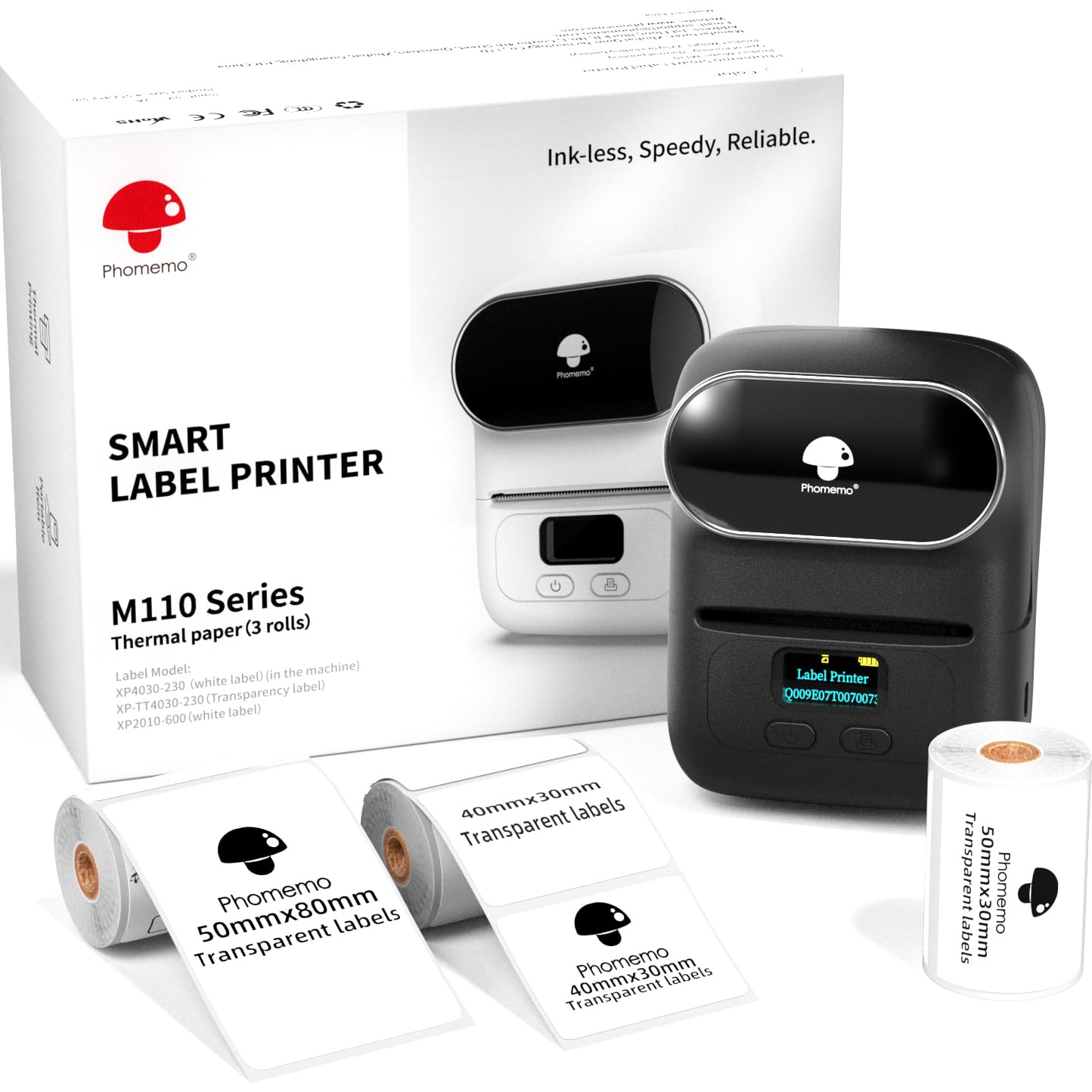
Choose this bundle if having three specified label sizes is more useful than the reviewed package's carrying bag and white starter rolls. Both are M110 thermal printers oriented toward small-business and general labeling tasks.
- This M110 bundle includes three label sizes—40 x 30 mm, 50 x 30 mm, and 50 x 80 mm—and describes printing widths from 20 to 50 mm.
- Its app supports text, pictures, QR codes, barcodes, and batch printing.
- The reviewed M110 package includes three white thermal label rolls and a carrying bag, along with app templates, Excel batch printing, and OCR.
Desktop Label Printers alternative
1,000+ ratings
Read Amazon ReviewsPhomemo M120 Label Printer
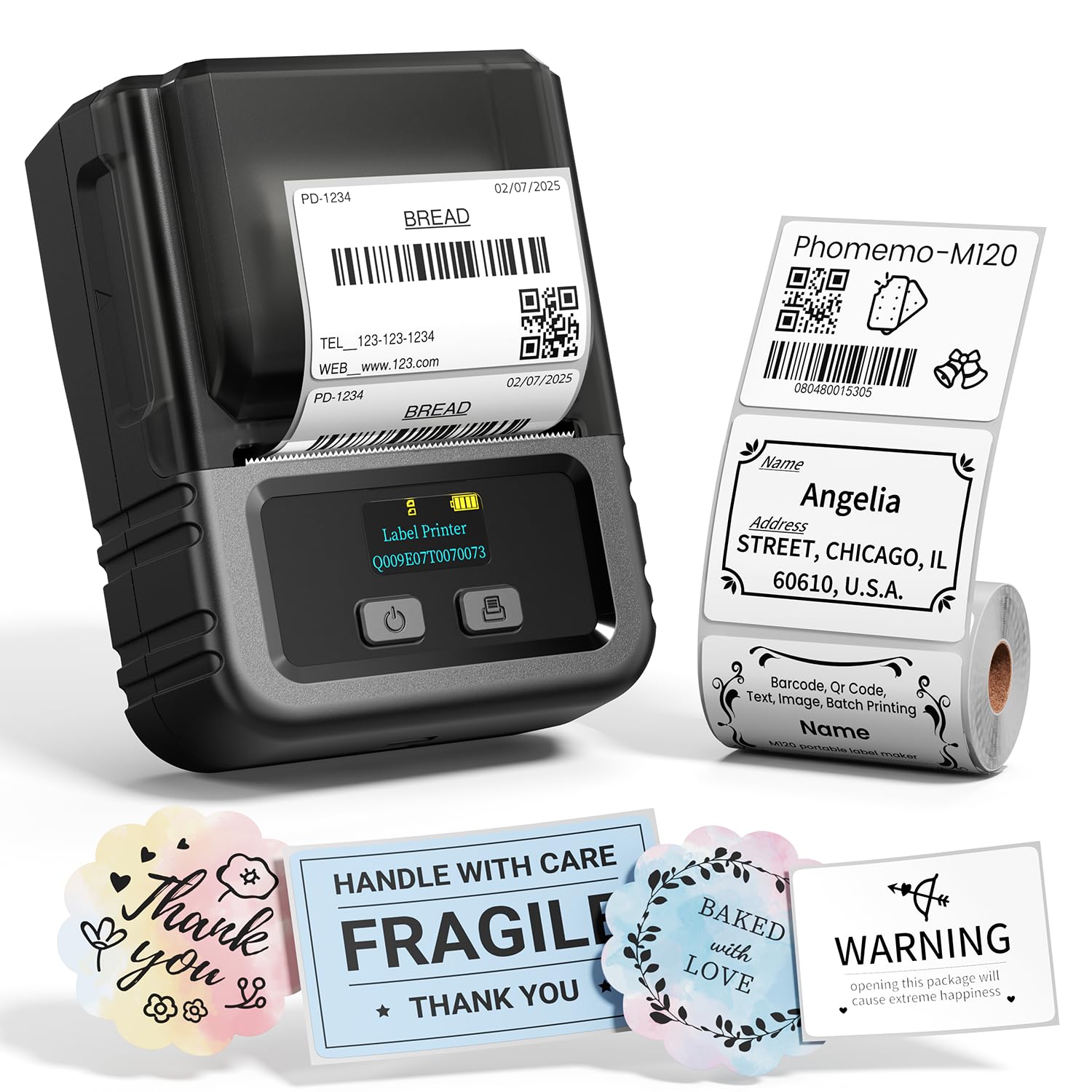
Consider the M120 if direct computer connectivity and its stated operating-system support are priorities.
The M110 bundle is a stronger match if you prefer three included rolls and a carrying bag; compare the workflows and label sizes you expect to use.
- The M120 description includes Bluetooth for iOS and Android, USB-C computer connection for Windows, Mac, and Chrome OS, and support for 20–50 mm labels.
- It also lists a starter roll and app tools for OCR, voice recognition, and image conversion.
- The reviewed M110 focuses on app-based Bluetooth labeling, OCR, Excel batch printing, and a starter package with three white label rolls.
Is Phomemo M110 Worth It?
The Phomemo M110 Label Maker is worth considering for small businesses and home or office users who need portable monochrome labels, repeatable layouts, and useful batch tools.
Its starter rolls and carrying bag add convenience, while OCR can make some label-preparation jobs easier.
Buy it if the 2-inch thermal format, app workflow, and black-only output fit your routine. Check label-paper compatibility and whether the app's free templates cover your needs before relying on it for regular production.
Your review at a glance
6,000+ ratings
Read Amazon ReviewsPhomemo M110 Label Maker
A portable thermal label maker for small businesses, home offices, and households that want custom labels from a phone or computer.
- Portable 2-inch Bluetooth thermal label maker designed for use with phones and computers.
- Print Master app includes multiple label templates and lets users create custom layouts.
- Excel batch printing supports workflows that require repeated labels.
- OCR can recognize text in images and convert it into editable text.