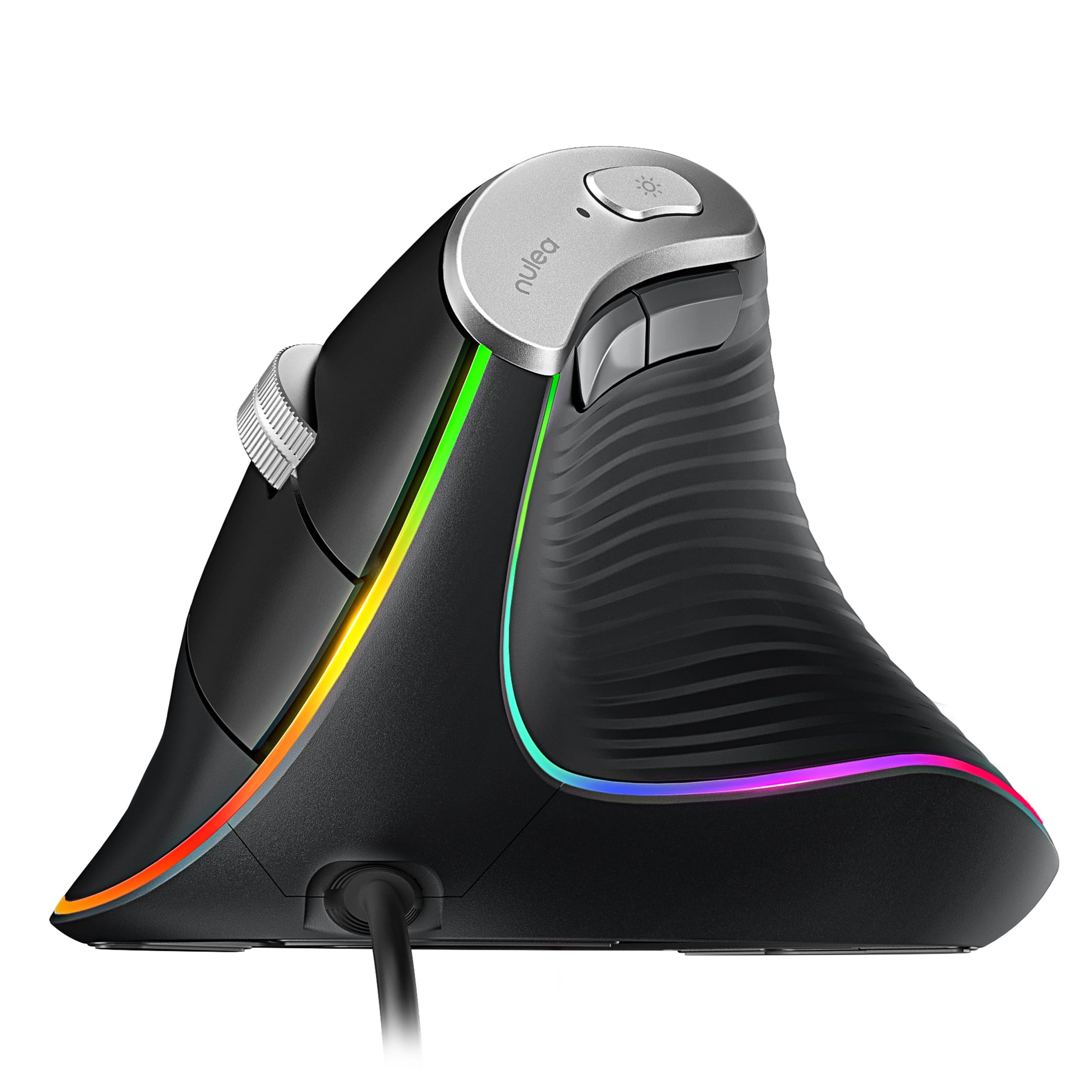
This nulea m504 review looks at a wired vertical mouse built for right-handed users who want a different grip from a conventional flat mouse.
Its adjustable sensitivity, direct USB connection, and forward and back buttons suit everyday computer work, with an adjustment period to factor in.
Nulea M504 Review Summary
The quick verdict
1,000+ ratings
Read Amazon ReviewsNulea M504
A right-handed wired vertical mouse for computer users who want adjustable cursor speed and a shaped grip for desk work.
- Right-handed vertical design with a 57-degree grip angle.
- Four selectable optical sensitivity levels: 800, 1200, 2400, and 3200 DPI.
- Wired connection through a USB 2.0 interface, with a 1.8-meter cable and plug-and-play setup.
- Six buttons, including forward and back navigation controls; buttons are non-programmable.

Pros
- Vertical grip offers an alternative to the usual flat mouse shape.
- Four DPI settings let users adjust cursor responsiveness for different tasks.
Consider before buying
- The unfamiliar grip can take a few days to feel natural.
- The right-handed shape will not suit left-handed users.
Read the full review summary
The Nulea M504 combines a 57-degree vertical shape with four selectable sensitivity levels, six buttons, and 11 RGB lighting modes.
Its 1.8-meter USB cable keeps setup simple, while the right-hand-only shape and non-programmable buttons make it a focused desktop tool rather than a highly configurable mouse.
It may suit someone curious about a more upright hand position for browsing, office tasks, or light creative work, especially if they prefer a wired connection.
The change in grip can take a few days to get used to, and Mac users should note that the forward and back buttons are not compatible with macOS.
The buying factors
Nulea M504 Scorecard
Editorial scores reflect listed features and buyer fit; they are not laboratory measurements or customer ratings.
Grip design
The 57-degree vertical shape is a clear ergonomic design choice for right-handed users, though it requires an adjustment period.
Cursor-speed flexibility
Four selectable settings from 800 to 3200 DPI offer useful range for common tasks.
Connection simplicity
A wired USB 2.0 connection and plug-and-play setup keep installation straightforward.
Navigation controls
Forward and back buttons add browsing convenience, but they are not compatible with macOS.
Customization
Sensitivity and lighting are adjustable, while all buttons are non-programmable.
Portability
The lightweight design and 1.8-meter cable make it easy to carry, though the cable needs to be managed.
Key Features and Specifications of Nulea M504
- Right-handed vertical design with a 57-degree grip angle.
- Four selectable optical sensitivity levels: 800, 1200, 2400, and 3200 DPI.
- Wired connection through a USB 2.0 interface, with a 1.8-meter cable and plug-and-play setup.
- Six buttons, including forward and back navigation controls; buttons are non-programmable.
- Eleven RGB lighting modes that illuminate the mouse outline.
- Matte plastic enclosure with a metal non-slip scroll wheel.
- Listed compatibility includes laptops and personal computers using Windows, iPadOS, or macOS; forward and back buttons do not work with macOS.
Pros and Cons of Nulea M504
Pros
- Vertical grip offers an alternative to the usual flat mouse shape.
- Four DPI settings let users adjust cursor responsiveness for different tasks.
- Wired USB setup avoids pairing and battery management.
- Forward and back buttons can make browser navigation more convenient on supported systems.
Consider before buying
- The unfamiliar grip can take a few days to feel natural.
- The right-handed shape will not suit left-handed users.
- Buttons cannot be programmed, and the forward and back controls are not compatible with macOS.
- The wired design requires room for the 1.8-meter cable.
Who Should Buy Nulea M504?
Good fit
Consider the Nulea M504 if you want to try a vertical mouse for regular desk work and prefer a direct wired connection.
The 57-degree shape gives it a distinct hand position, while four DPI options help tailor cursor speed for browsing, diagram editing, or drawing.
It is also a reasonable fit if you value straightforward setup and use a supported Windows computer. Before choosing it, make sure a right-handed form and a few days of getting accustomed to the grip fit your routine.
Who should skip it
Skip it if you need a left-handed mouse, wireless operation, or programmable buttons. Its fixed controls and cable may be a poor match for setups that depend on custom shortcuts or frequent movement between devices.
Mac users who rely on forward and back buttons should look elsewhere or confirm that the remaining controls suit their workflow, since those two navigation buttons are not compatible with macOS.
How the Nulea M504 Fits Everyday Work
A vertical grip takes adjustment
The 57-degree design is intended to place the hand in a more upright position than a conventional mouse.
That shape may appeal if you want to change how you hold a mouse, but comfort is personal, and the expected learning period means it may not feel immediately familiar.
Give yourself a few days to decide whether the grip works for your hand and desk routine.
DPI settings cover several common tasks
The four settings—800, 1200, 2400, and 3200 DPI—provide distinct cursor-speed choices. A lower setting can make deliberate movements easier to manage, while a higher one can reduce the distance you move the mouse for a given cursor movement.
These are selectable options, so users can settle on the one that feels comfortable for their screen and work.
Wired operation keeps setup uncomplicated
The USB 2.0 cable is 1.8 meters long, and the mouse is designed to work without installing drivers. That makes it a practical option for a fixed workstation with an accessible USB port.
The tradeoff is the familiar one for wired peripherals: check that the cable can reach comfortably and will not snag on other desk equipment.
Controls and lighting are focused extras
Six buttons include forward and back navigation, plus the scroll wheel and standard mouse controls.
The buttons are not programmable, so buyers should treat them as fixed controls; the forward and back functions also do not work with macOS.
Eleven RGB modes add visual customization around the outline, while the metal non-slip scroll wheel gives the design a distinct material detail.
Alternatives to Nulea M504
Computer Mice alternative
1,000+ ratings
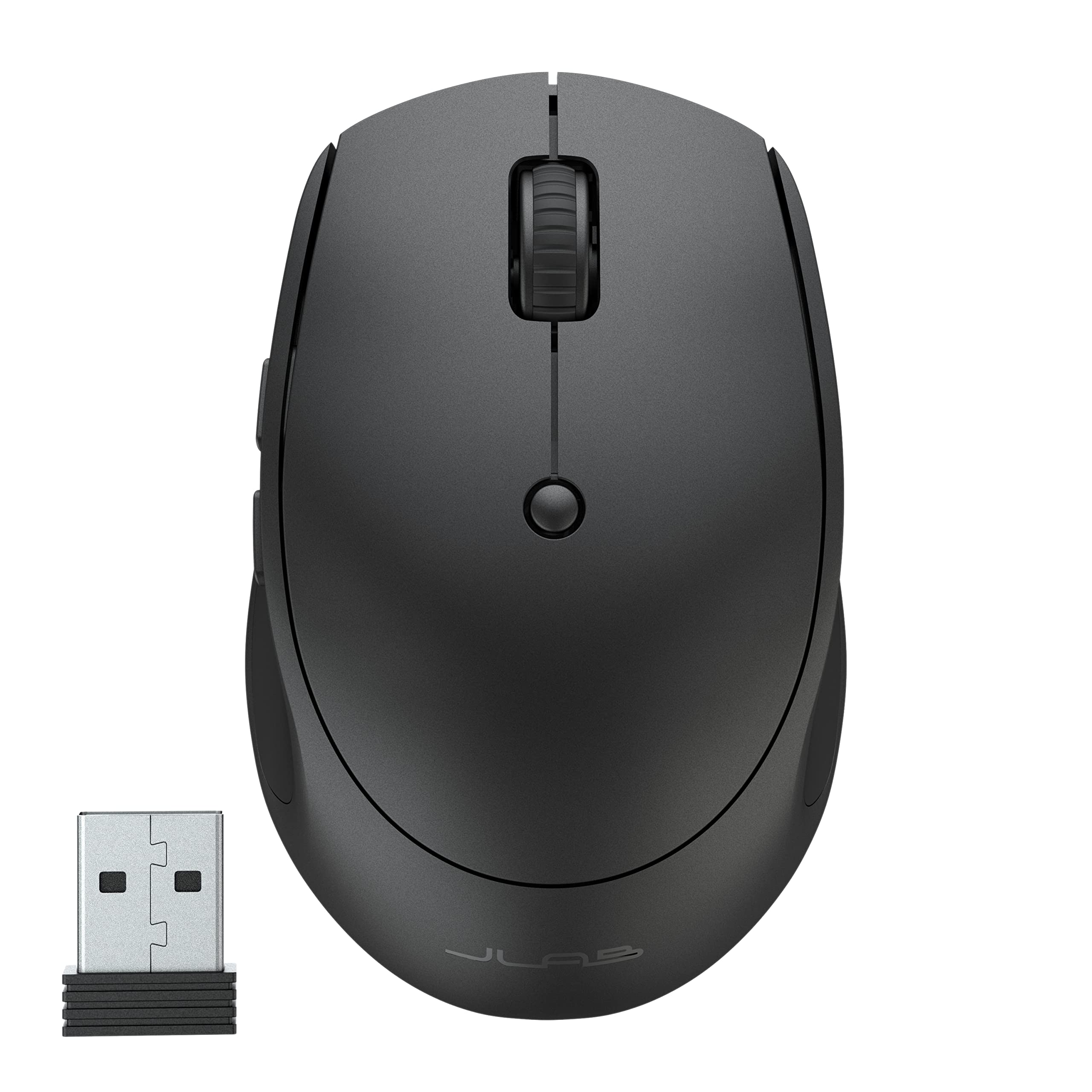
Read Amazon ReviewsJLab GO Charge Wireless Mouse
Choose the Nulea if a vertical grip and wired setup are priorities. The JLab is a better fit for someone who needs wireless portability and quick switching among several devices.
- The JLab GO Charge connects through Bluetooth or a USB wireless dongle, supports switching among three devices, and is rechargeable.
- Its compact design includes adjustable tracking and silent-click buttons.
- The Nulea M504 is a right-handed vertical mouse with a wired USB connection and four DPI settings.
Computer Mice alternative
800+ ratings
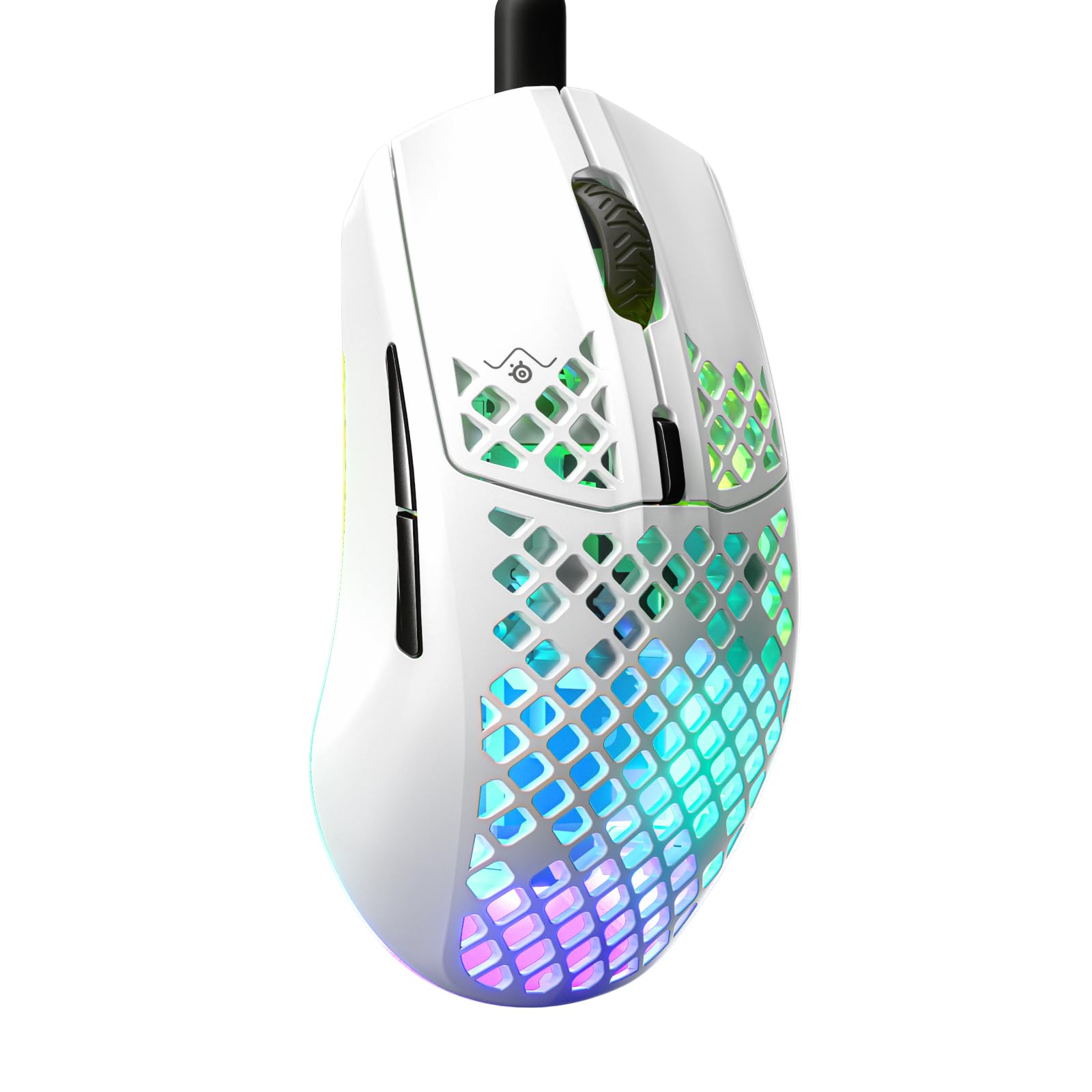
Read Amazon ReviewsSteelSeries Aerox 3 Gaming Mouse
The Nulea better matches buyers seeking a vertical shape for general computer work. Consider the SteelSeries if fast gaming movements, a very light shell, and configurable RGB matter more than a vertical grip.
- The SteelSeries Aerox 3 is a wired gaming mouse with an 8,500 DPI optical sensor, a 59-gram perforated shell, configurable three-zone RGB, and an IP54-rated barrier against water splashes, dust, and dirt.
- The Nulea M504 is shaped for a vertical right-handed grip and offers up to 3200 DPI across four settings.
Is Nulea M504 Worth It?
The Nulea M504 is worth considering if you want a right-handed vertical mouse with a simple wired connection, adjustable sensitivity, and useful browser controls.
Its shape is the main reason to choose it, but allow time to adjust and make sure its fixed buttons suit your operating system.
For a stationary workstation and supported Windows setup, its combination of a vertical grip and straightforward USB connection makes practical sense.
Choose another design if you need wireless freedom, left-handed use, programmable controls, or macOS-compatible forward and back buttons.
Your review at a glance
1,000+ ratings
Read Amazon ReviewsNulea M504
A right-handed wired vertical mouse for computer users who want adjustable cursor speed and a shaped grip for desk work.
- Right-handed vertical design with a 57-degree grip angle.
- Four selectable optical sensitivity levels: 800, 1200, 2400, and 3200 DPI.
- Wired connection through a USB 2.0 interface, with a 1.8-meter cable and plug-and-play setup.
- Six buttons, including forward and back navigation controls; buttons are non-programmable.