The Nulaxy Full Aluminum Laptop Stand review comes down to a straightforward desk upgrade: the C3 raises a compatible laptop screen while leaving space beneath it for desk use.
Its fixed-height design suits people who mainly work with an external keyboard and mouse.
Nulaxy C3 Stand Review Summary
The quick verdict
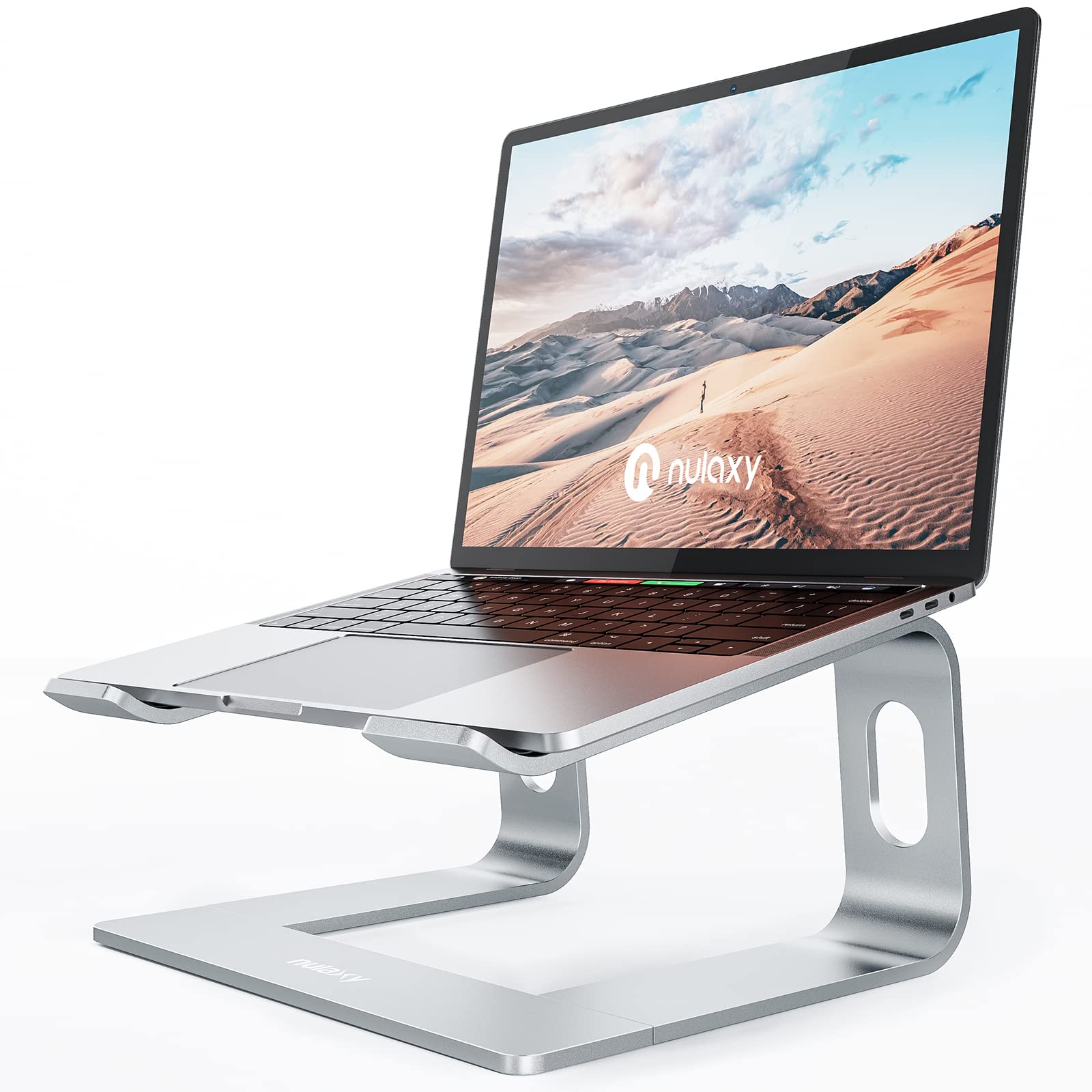
36,000+ ratings
Read Amazon ReviewsNulaxy C3 Laptop Stand
A compact aluminum riser for laptop owners who want an elevated screen and use a separate keyboard and mouse for typing.
- Designed for laptops measuring 10–16 inches.
- Raises the laptop screen up to 6 inches above the desk.
- Made from 5 mm aluminum alloy and specified to support up to 22 pounds.
- Rubber pads on the upper surface help hold the laptop in place; bottom pads are intended to limit sliding and protect the desk.

Pros
- A useful screen lift for a fixed-height desktop setup.
- Broad stated compatibility across 10–16-inch laptops.
Consider before buying
- The stand’s height is not adjustable, so the 6-inch maximum lift may not suit every chair, desk, or user.
- Typing on the raised laptop keyboard may cause wobble; a separate keyboard and mouse are recommended.
Read the full review summary
The C3 uses a 5 mm aluminum alloy frame, rubber contact pads, and an open, forward-tilting shape. It is designed for laptops from 10 to 16 inches and supports devices weighing up to 22 pounds.
Nulaxy gives the stand a maximum screen elevation of 6 inches, so it can lift a laptop display without adding a broad platform across the desk.
This is a better fit for a settled desk setup than for frequent height changes.
The stand can be taken apart into three pieces for compact storage, but the product description cautions that typing directly on the laptop may make the stand wobble.
Plan to use a separate keyboard and mouse if you want to type regularly while the laptop is raised.
The buying factors
Nulaxy C3 Stand Scorecard
Editorial scores reflect listed features and buyer fit; they are not laboratory measurements or customer ratings.
Screen elevation
Raises the laptop screen up to 6 inches, a useful lift for a fixed desk arrangement.
Laptop compatibility
Fits a stated range of 10–16-inch laptops, covering many common notebook sizes.
Build and support
The 5 mm aluminum alloy construction is specified to support laptops weighing up to 22 pounds.
Typing stability
Nulaxy cautions that typing on the laptop itself may cause wobbling, making a separate keyboard the sensible pairing.
Portability
The stand separates into three pieces for compact storage, though it is not described as a one-piece folding design.
Desk airflow
Its open frame and forward tilt are intended to allow airflow around the laptop.
Key Features and Specifications of Nulaxy C3 Stand
- Designed for laptops measuring 10–16 inches.
- Raises the laptop screen up to 6 inches above the desk.
- Made from 5 mm aluminum alloy and specified to support up to 22 pounds.
- Rubber pads on the upper surface help hold the laptop in place; bottom pads are intended to limit sliding and protect the desk.
- The forward-tilting, open design leaves space around the laptop for airflow.
- Detaches into three parts for compact storage and can be reassembled in one step.
Pros and Cons of Nulaxy C3 Stand
Pros
- A useful screen lift for a fixed-height desktop setup.
- Broad stated compatibility across 10–16-inch laptops.
- Aluminum construction with rubber pads at both contact surfaces.
- Can be disassembled for storage or transport.
Consider before buying
- The stand’s height is not adjustable, so the 6-inch maximum lift may not suit every chair, desk, or user.
- Typing on the raised laptop keyboard may cause wobble; a separate keyboard and mouse are recommended.
- Its three-piece storage format requires assembly again after packing.
Who Should Buy Nulaxy C3 Stand?
Good fit
Consider the Nulaxy C3 if you want a straightforward riser for a laptop that stays at one workstation.
Its 10–16-inch fit range and screen elevation up to 6 inches make it a practical option for bringing the display higher while keeping the stand’s structure open.
It makes the most sense when your regular setup already includes, or can accommodate, an external keyboard and mouse.
That arrangement follows Nulaxy’s own typing guidance and lets the laptop serve primarily as the screen while the separate keyboard stays at desk level.
Who should skip it
Skip this style if you need to switch frequently between sitting and standing, or if you need to tune the height to different users.
This is a fixed riser, so check whether its maximum 6-inch lift puts the screen where you want it.
It may also be a poor fit if you expect to type on the laptop keyboard while it is elevated. If you rely on the built-in keyboard, consider whether the stand’s wobble caution conflicts with your routine.
How the Nulaxy C3 Stand Fits a Desk Setup
Screen height and desk posture
The C3 is intended to raise the screen up to 6 inches, which can help place the display higher on a desk.
Whether that position feels right depends on your chair, desk, and screen angle, so consider the stand’s fixed lift alongside your normal seating position.
A stand for separate input devices
The main practical tradeoff is typing stability. The product guidance warns that typing on the laptop may make the stand wobble and recommends an external keyboard and mouse.
Buyers who already use a separate keyboard can treat this as a screen riser; laptop-only typists should weigh that limitation before choosing it.
Support, contact points, and airflow
The 5 mm aluminum alloy body is specified for laptops up to 22 pounds, while rubber pads are placed where the laptop and stand meet the desk.
The open, forward-tilting layout is designed to let air circulate around the computer, though airflow needs can vary by laptop and workload.
Storage and day-to-day use
The three-piece detachable construction can make the stand easier to store than a permanently assembled riser.
In return, packing means disassembly and reassembly, so it is most convenient for occasional transport or storage rather than constant adjustments throughout a workday.
Alternatives to Nulaxy C3 Stand
Laptop Stands alternative
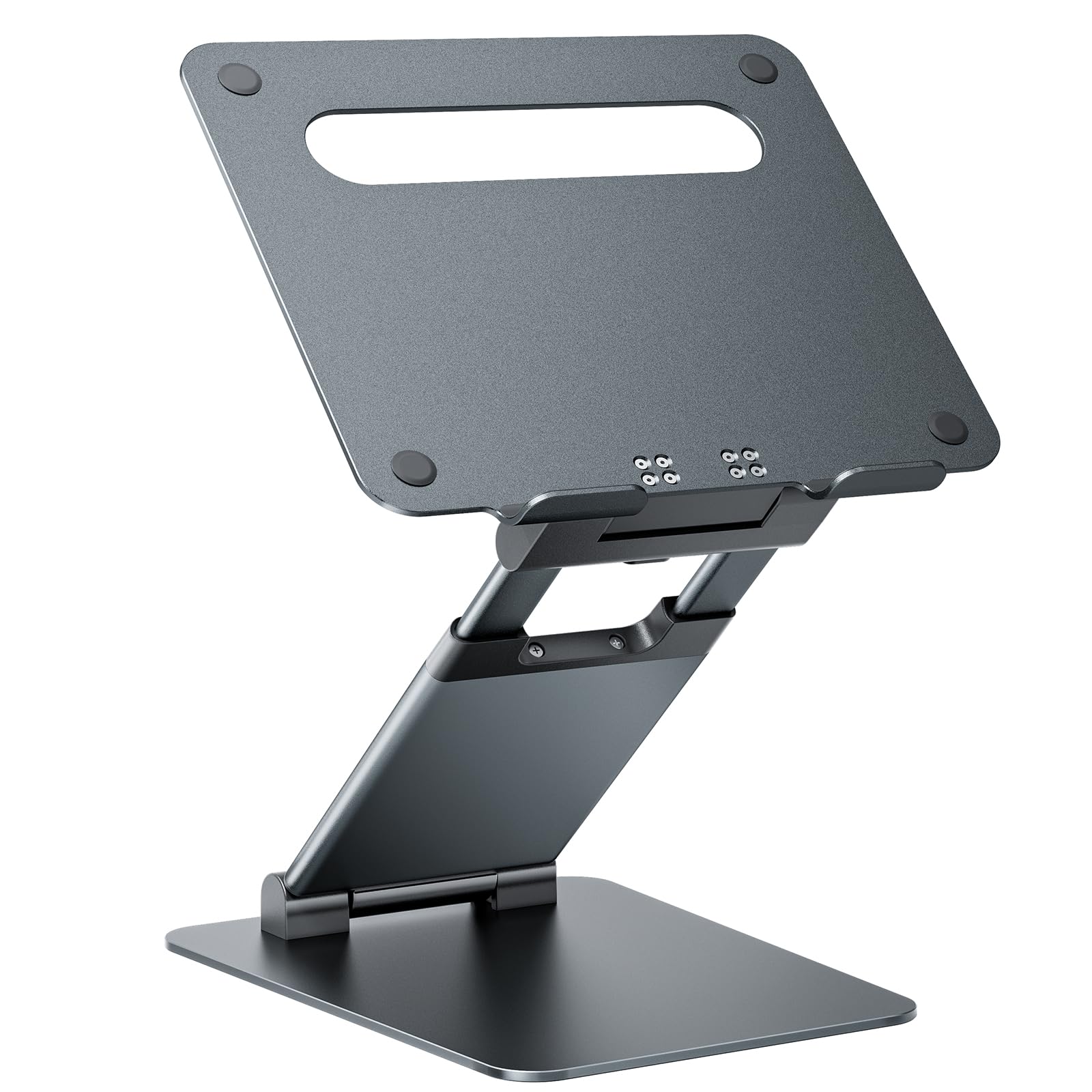
8,000+ ratings
Read Amazon ReviewsNulaxy C5 Adjustable Laptop Stand
Choose the C3 for a simpler fixed-height desk riser.
The C5 is the more relevant option if you need a much wider height range for sitting and standing, while its greater weight may matter if you plan to move the stand often.
- The C5 is designed for 10–17-inch laptops and adjusts from 1.2 to 20 inches; it weighs about 4.2 pounds and supports up to 22 pounds.
- The C3 is a fixed riser that raises screens up to 6 inches and is designed for 10–16-inch laptops.
Laptop Stands alternative
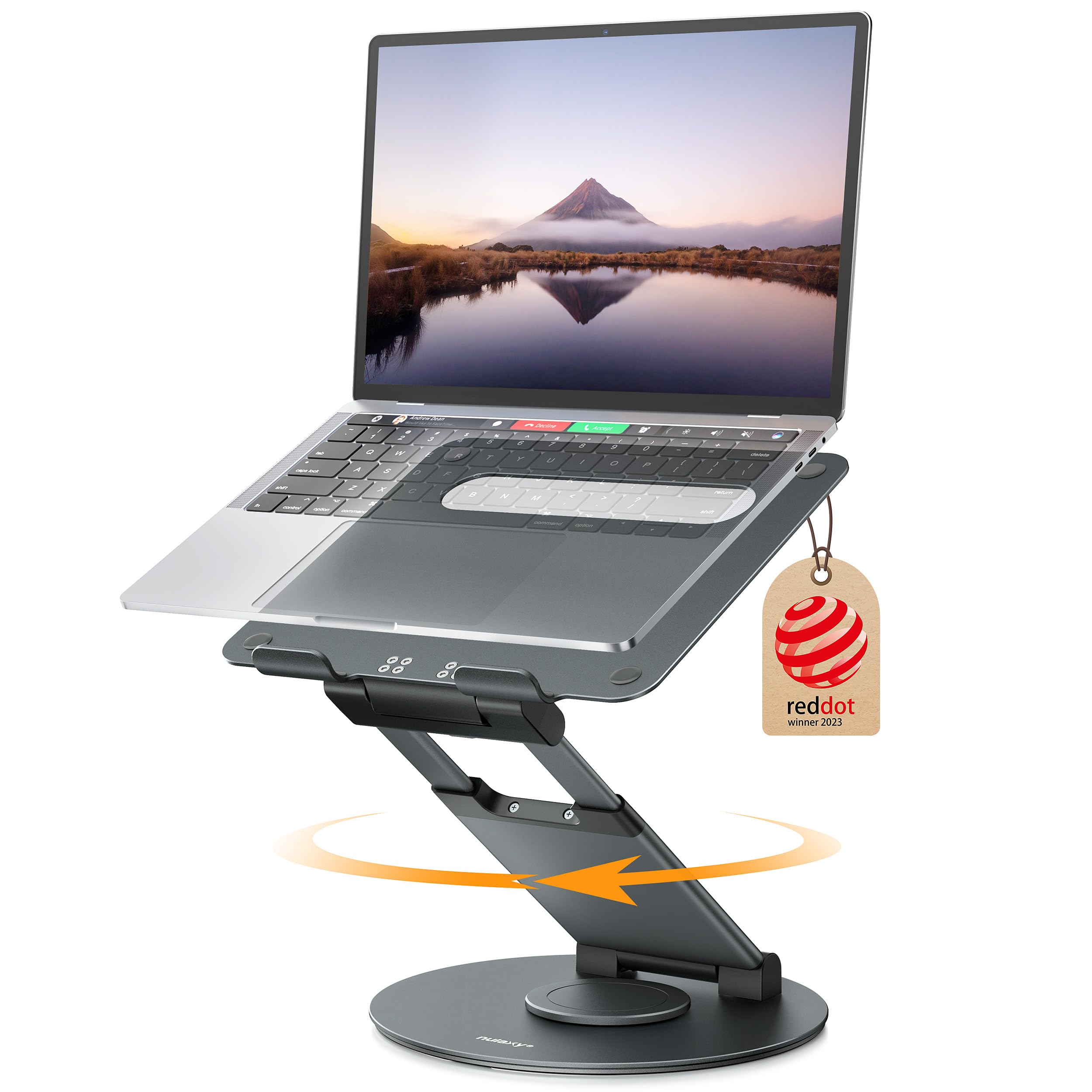
3,000+ ratings
Read Amazon ReviewsNulaxy LS18 Rotating Laptop Stand
The C3 suits a basic, stationary setup. Consider the LS18 if you need a taller adjustable screen position or want to rotate the device for sharing; its description also recommends an external keyboard and mouse for typing stability.
- The LS18 can raise a laptop up to 18 inches, adjusts in height and tilt, and rotates 360 degrees.
- It is described for laptops and tablets up to 17 inches and supports up to 22 pounds.
- The C3 offers a fixed lift up to 6 inches and separates into three parts for storage.
Is Nulaxy C3 Stand Worth It?
The Nulaxy C3 is worth considering if you want a fixed aluminum riser for a 10–16-inch laptop and plan to type on a separate keyboard. Its open design, rubber pads, and storage-friendly detachable construction support that focused use.
Before buying, check that a screen lift of up to 6 inches suits your desk and seating position.
If you need a range of working heights or expect to type on the laptop itself, the C3’s fixed position and wobble caution may make it a less comfortable match.
Your review at a glance
36,000+ ratings
Read Amazon ReviewsNulaxy C3 Laptop Stand
A compact aluminum riser for laptop owners who want an elevated screen and use a separate keyboard and mouse for typing.
- Designed for laptops measuring 10–16 inches.
- Raises the laptop screen up to 6 inches above the desk.
- Made from 5 mm aluminum alloy and specified to support up to 22 pounds.
- Rubber pads on the upper surface help hold the laptop in place; bottom pads are intended to limit sliding and protect the desk.