This Kodak Step photo printer review looks at a compact way to turn phone images into small, sticky-backed prints. Its appeal is simple: pair a phone, edit in the app, and print without ink cartridges.
KODAK Step Review Summary
The quick verdict

20,000+ ratings
Read Amazon ReviewsKODAK Step
A compact option for turning phone photos into small, editable prints for scrapbooks, crafts, and on-the-go sharing.
- Prints on 2-by-3-inch ZINK sticky-back photo paper.
- Pairs with iOS or Android devices through Bluetooth or NFC.
- The app offers collages, filters, borders, stickers, and text customization.
- Uses ZINK paper with embedded dye crystals, so separate ink, toner, and ribbons are unnecessary.

Pros
- Small, lightweight form is convenient for travel and casual use.
- Peel-and-stick prints work naturally in scrapbooks, journals, and craft projects.
Consider before buying
- The 2-by-3-inch format is limited for buyers who want larger display prints.
- A full charge is intended for a modest batch of 25 photos, so frequent printing may require recharging between outings.
Read the full review summary
The KODAK Step is a portable smartphone printer for people who want physical copies of phone photos without carrying a larger printer.
Bluetooth or NFC pairing and an editing app bring cropping, filters, borders, stickers, and text into the same casual print workflow.
It suits scrapbookers, travelers, and anyone who prefers peel-and-stick snapshots for journals, cards, or decoration.
The tradeoff is the small ZINK format and a rechargeable battery intended for a limited number of prints per charge, so this is better for occasional batches than high-volume photo printing.
The buying factors
KODAK Step Scorecard
Editorial scores reflect listed features and buyer fit; they are not laboratory measurements or customer ratings.
Portability
Its palm-sized design and weight under a pound make it easy to take along for casual printing away from home.
Phone connectivity
Bluetooth or NFC pairing with iOS and Android devices gives phone users two stated connection routes.
Editing tools
The app includes filters, borders, stickers, text, and collage creation for users who want to customize images before printing.
Print format
Sticky-backed 2-by-3-inch paper is convenient for small keepsakes and labels, though the format limits how much detail fits in each print.
Ink-free workflow
ZINK paper uses embedded dye crystals, avoiding separate ink, toner, and ribbon supplies.
Prints per charge
The rechargeable battery is suited to a short outing or modest print batch, with 25 photos per full charge as the stated capacity.
Key Features and Specifications of KODAK Step
- Prints on 2-by-3-inch ZINK sticky-back photo paper.
- Pairs with iOS or Android devices through Bluetooth or NFC.
- The app offers collages, filters, borders, stickers, and text customization.
- Uses ZINK paper with embedded dye crystals, so separate ink, toner, and ribbons are unnecessary.
- A built-in rechargeable lithium-ion battery is rated for 25 photos on a full charge.
- The package includes a micro USB charging cable and starter pack of ZINK paper.
Pros and Cons of KODAK Step
Pros
- Small, lightweight form is convenient for travel and casual use.
- Peel-and-stick prints work naturally in scrapbooks, journals, and craft projects.
- No separate ink, toner, or ribbon supply is needed for its ZINK printing process.
- The app offers several ways to personalize images before printing.
Consider before buying
- The 2-by-3-inch format is limited for buyers who want larger display prints.
- A full charge is intended for a modest batch of 25 photos, so frequent printing may require recharging between outings.
Who Should Buy KODAK Step?
Good fit
Choose the KODAK Step if you want a pocketable way to turn phone photos into small keepsakes while traveling, journaling, or crafting.
Bluetooth or NFC pairing and the editing app support a direct path from image selection to a personalized print.
It also fits buyers who value peel-and-stick prints and an ink-free supply setup. The included starter paper makes it possible to begin with a small project, while the rechargeable battery supports casual use away from an outlet.
Who should skip it
Skip it if your main goal is larger prints for framing or detailed wall display; its sticky-backed paper measures 2 by 3 inches.
Buyers who regularly need large batches should also consider whether 25 prints per full charge will fit their routine.
KODAK Step Review Analysis
Small prints, easy placement
The 2-by-3-inch sticky-backed format makes the most sense for compact keepsakes: scrapbook pages, cards, labels, and other surfaces where a small image is useful.
It is a practical fit for sharing moments in hand, but the dimensions naturally limit its role as a large display printer.
A phone-first workflow
Bluetooth or NFC connection keeps the printer tied to a phone or tablet, while the app handles creative changes such as filters, frames, stickers, text, and collages.
That combination will appeal to buyers who like personalizing an image before printing rather than sending an untouched file straight to paper.
ZINK supply tradeoff
With dye crystals embedded in the paper, the printing process avoids separate ink, toner, or ribbon replacements. Buyers still need compatible ZINK paper, so the convenience comes from simplifying supplies rather than removing consumables altogether.
Portable, with a modest print run
The palm-sized body, weight under a pound, and rechargeable battery suit occasional printing during a day out.
A full charge is rated for 25 photos, so plan around charging if a project involves printing well beyond a small batch.
Alternatives to KODAK Step
Portable Photo Printers alternative
25,000+ ratings
Read Amazon ReviewsHP Sprocket Portable Photo Printer (2nd Edition)
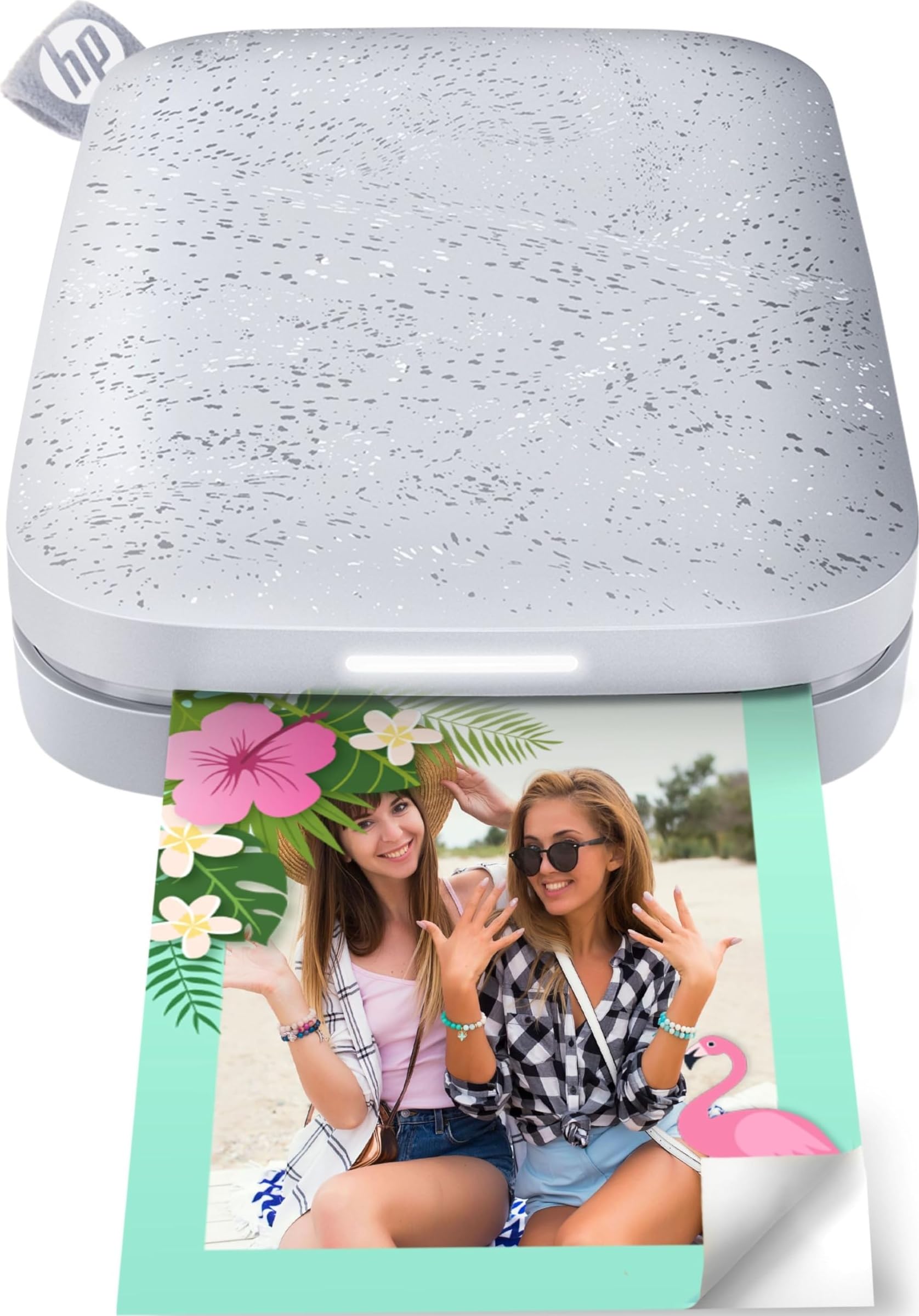
Prefer the HP Sprocket 2nd Edition if group printing and a visible print-status cue are useful, since it supports multiple devices at once and uses a personalized LED.
The KODAK Step is a fit for buyers who want Bluetooth or NFC pairing for their own phone workflow.
- The HP Sprocket 2nd Edition supports simultaneous connections from multiple devices and uses a personalized LED to show whose photo is printing.
- It also has Bluetooth 5.0 and sleep mode for staying connected between uses.
- The KODAK Step offers compact 2-by-3-inch sticky-backed prints and connects to iOS or Android through Bluetooth or NFC, giving phone users a portable route to small prints.
Portable Photo Printers alternative

25,000+ ratings
Read Amazon ReviewsHP Sprocket Select
Choose HP Sprocket Select if you want a larger sticky-backed print and its Bluetooth 5.1 phone connection; keep the KODAK Step in mind if its smaller 2-by-3-inch format suits your crafts and keepsakes.
- HP Sprocket Select prints larger 2.3-by-3.4-inch photos and connects to iOS and Android devices over Bluetooth 5.1. Its app includes editing tools such as frames and filters.
- The KODAK Step uses 2-by-3-inch sticky-backed paper, a compact format for small keepsakes and crafts.
Is KODAK Step Worth It?
The KODAK Step is worth considering for phone-first buyers who want portable, small sticky-backed prints and an app for personalizing them.
Its ZINK process avoids separate ink supplies, and Bluetooth or NFC pairing keeps printing convenient for casual projects.
Buy it for scrapbooks, travel memories, and compact creative projects rather than large prints or long unattended batches. The small paper size and 25-photo full-charge capacity are the main limits to weigh against its portability.
Your review at a glance
20,000+ ratings
Read Amazon ReviewsKODAK Step
A compact option for turning phone photos into small, editable prints for scrapbooks, crafts, and on-the-go sharing.
- Prints on 2-by-3-inch ZINK sticky-back photo paper.
- Pairs with iOS or Android devices through Bluetooth or NFC.
- The app offers collages, filters, borders, stickers, and text customization.
- Uses ZINK paper with embedded dye crystals, so separate ink, toner, and ribbons are unnecessary.