This JLab JBuds Work review looks at a work headset built for switching between wireless and wired connections, with multipoint pairing and a boom microphone for calls.
JBuds Work Review Summary
The quick verdict

1,000+ ratings
Read Amazon ReviewsJLab JBuds Work
A work headset for buyers who want wired or wireless connections, multipoint pairing, and long battery life in an over-ear design.
- Bluetooth multipoint can connect two devices simultaneously.
- Wired operation is available through the included USB-C to 3.5mm AUX cable.
- Battery life is described as a 60+ hour workweek on one charge.
- The boom microphone rotates out of the way for listening and moves back down for calls.

Pros
- Wireless multipoint pairing connects two devices at the same time.
- A wired cable is included for USB-C to 3.5mm use.
Consider before buying
- The over-ear format may feel less suitable for buyers who want an open-ear headset that leaves the ears uncovered.
- For frequent outdoor calls, check microphone performance in windy conditions before buying.
Read the full review summary
JBuds Work is designed for desk workers who move between a computer and a phone.
Bluetooth multipoint connects two devices at once, while the included USB-C to 3.5mm cable gives you a wired option when you prefer a physical connection.
The over-ear Cloud Foam earcups, rotating boom microphone, and 60+ hours of worktime make it a practical fit for people who want one headset for calls and listening across a full workweek.
Its controls include two EQ settings, so voice and music have separate modes to choose from.
The buying factors
JBuds Work Scorecard
Editorial scores reflect listed features and buyer fit; they are not laboratory measurements or customer ratings.
Connection flexibility
Bluetooth multipoint supports two connected devices, and an included USB-C to 3.5mm cable enables wired use.
Workday battery fit
The 60+ hour workweek target is a strong fit for buyers who prefer fewer charging interruptions.
Call controls
The boom mic moves into a listening position and back down for calls, while a separate earcup button handles mute.
Mute visibility
A red LED at the boom mic tip indicates when mute is on, offering a visible reminder during meetings.
Listening options
Voice and Music EQ modes let buyers choose between two listening profiles, though no tuning details are provided for either mode.
Comfort design
Cloud Foam over-ear cups are intended for all-day wear, though fit remains personal and cannot be guaranteed from the design alone.
Key Features and Specifications of JBuds Work
- Bluetooth multipoint can connect two devices simultaneously.
- Wired operation is available through the included USB-C to 3.5mm AUX cable.
- Battery life is described as a 60+ hour workweek on one charge.
- The boom microphone rotates out of the way for listening and moves back down for calls.
- Two EQ modes are available: Voice and Music.
- A red LED on the boom mic indicates mute status.
- The headset includes a USB-C charging cable and a two-year JLab warranty.
Pros and Cons of JBuds Work
Pros
- Wireless multipoint pairing connects two devices at the same time.
- A wired cable is included for USB-C to 3.5mm use.
- The boom mic can rotate up for listening and back down for calls.
- A visible red mute indicator helps show when the microphone is muted.
- The stated 60+ hours of worktime can suit buyers who want to charge less often.
Consider before buying
- The over-ear format may feel less suitable for buyers who want an open-ear headset that leaves the ears uncovered.
- For frequent outdoor calls, check microphone performance in windy conditions before buying.
Who Should Buy JBuds Work?
Good fit
Consider JBuds Work if your routine alternates between computer calls and phone use. Multipoint pairing supports two connected devices, and the included cable offers wired operation when Bluetooth is not the connection you want.
It also suits desk workers who want a boom mic they can move aside between calls, along with a mute button and visible mute indicator. Voice and Music EQ modes add a choice for calls or listening sessions.
Who should skip it
Look elsewhere if keeping your ears uncovered is central to your work setup.
JBuds Work is an over-ear headset, a form factor that may not suit buyers who want to hear more of their surroundings while wearing a headset.
If you need confidence in microphone performance in windy outdoor settings, check that detail before buying; the supplied microphone features focus on noise reduction and call use.
JBuds Work: How It Fits a Busy Desk
Two devices, one headset
Multipoint is useful when a workday spans a computer and a phone: the headset can connect to both simultaneously, helping reduce the need to disconnect and re-pair when attention shifts.
The wired cable adds another connection path for compatible devices with a 3.5mm input.
A boom mic with visible mute
The rotating boom supports a clear change between call use and listening without the microphone sitting in front of the face all the time.
The earcup mute button and red LED indicator are practical meeting controls, though the indicator only helps if it remains in view.
Battery and wearing style
The 60+ hour worktime target points toward fewer charging stops for regular office use, while Cloud Foam over-ear cups prioritize an enveloping fit. Buyers who dislike ear-covering headsets should weigh that design preference before choosing it.
Calls and listening modes
The two EQ presets provide separate Voice and Music choices, which makes the headset more adaptable across meetings and casual listening.
A noise-canceling microphone is included, but microphone performance can vary with the environment, so buyers with demanding call conditions should assess their needs carefully.
Alternatives to JBuds Work
Quick-charge alternative
100+ ratings
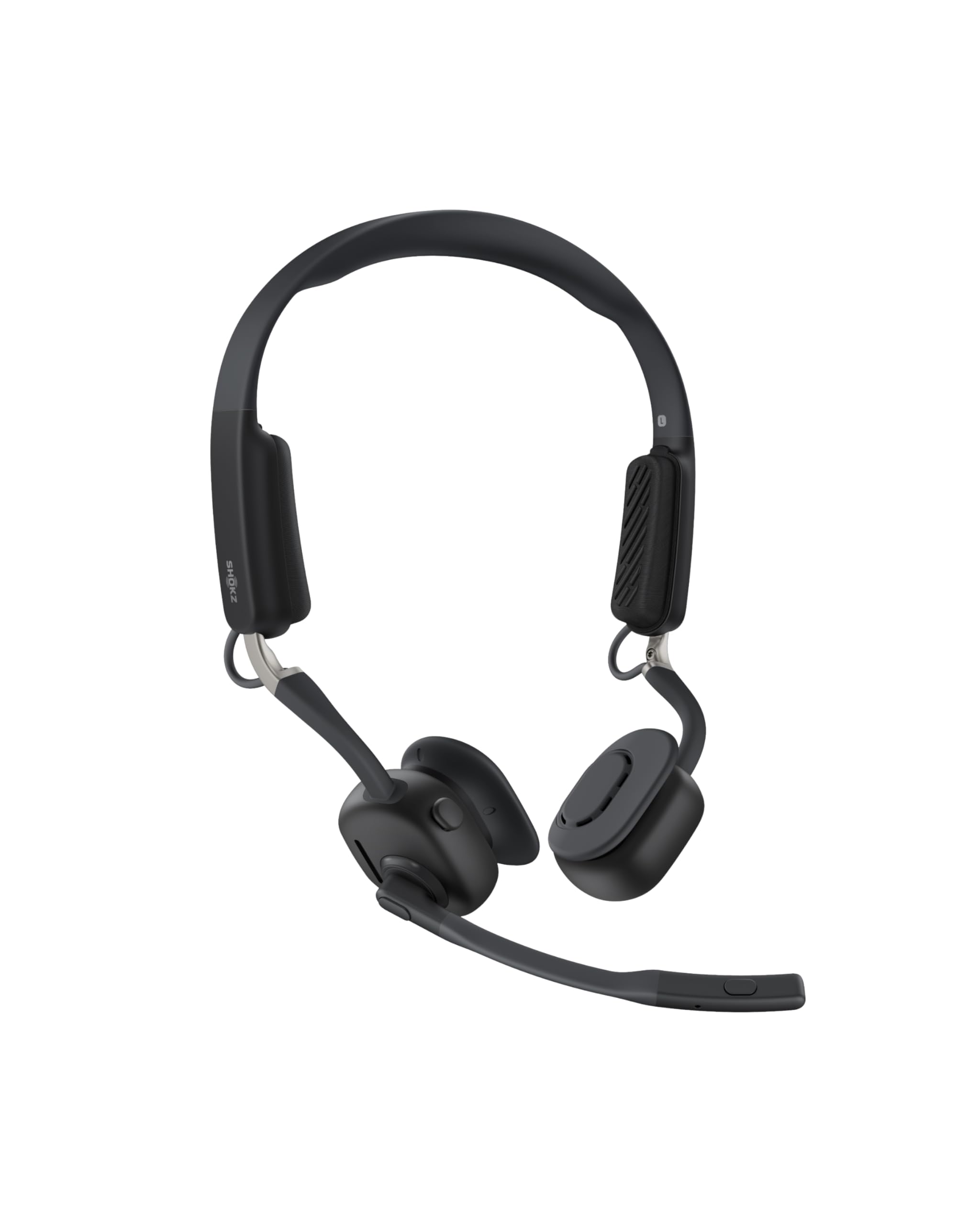
Read Amazon ReviewsSHOKZ OpenMeet C610
Choose OpenMeet if you prefer an open-ear design that keeps you connected to your surroundings; choose JBuds Work if you prefer over-ear cups and a longer stated worktime target.
- OpenMeet has an open-ear fit, up to 15 hours of battery life, and a five-minute fast charge for two hours of talk time.
- JBuds Work uses an over-ear design with Cloud Foam earcups and targets 60+ hours of worktime on one charge.
Battery-focused alternative

1,000+ ratings
Read Amazon ReviewsJLab Go Work Pop
Choose Go Work Pop if you want an on-ear headset with a boom mic that tucks away; choose JBuds Work if the over-ear fit and 60+ hour worktime target are a better match for your routine.
- Go Work Pop has an on-ear design, 50+ hours of wireless playtime, and a rotating boom mic that tucks away.
- JBuds Work has over-ear Cloud Foam cups and a 60+ hour worktime target on one charge.
Is JBuds Work Worth It?
JLab JBuds Work is worth considering for desk workers who want one headset to move between computer and phone, with wired connectivity available as another option.
Its multipoint pairing, rotating boom mic, mute indicator, and two EQ modes focus on practical workday control.
Buy it if the over-ear style, listed 60+ hour worktime, and mixed wired/wireless setup fit your routine.
Pass if you specifically want an open-ear design; for outdoor calls, check whether the microphone meets your needs in wind before relying on it for that use.
Your review at a glance
1,000+ ratings
Read Amazon ReviewsJLab JBuds Work
A work headset for buyers who want wired or wireless connections, multipoint pairing, and long battery life in an over-ear design.
- Bluetooth multipoint can connect two devices simultaneously.
- Wired operation is available through the included USB-C to 3.5mm AUX cable.
- Battery life is described as a 60+ hour workweek on one charge.
- The boom microphone rotates out of the way for listening and moves back down for calls.